One Selfie, 16 Angles: What AI Retake Actually Fixes — And Where It Breaks
You have one good photo and need six this week. AI Retake turns one selfie into 16 camera angles — here is when that saves you a photo shoot, and when it quietly costs you trust.
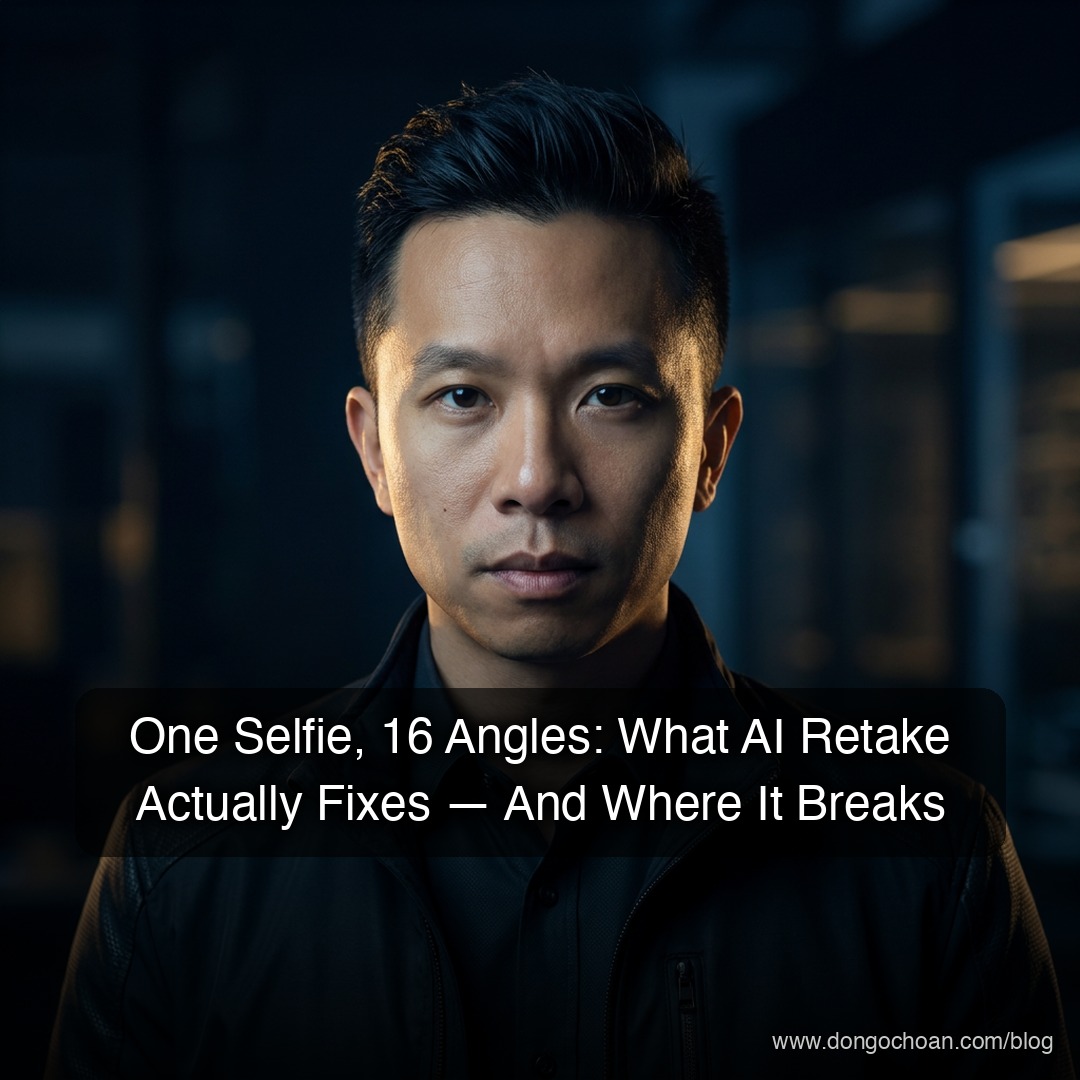
You have one selfie you actually like, and you need six different photos of yourself this week. AI Retake — a Telegram bot at @PicFixEasyBot — takes that single photo and generates up to 16 new camera angles from it: front, side, top-down, low-angle, three-quarter. Verdict up front: if you need volume — profile pictures, thumbnails, social posts, avatars — this saves you a photo shoot. If the photo has to survive being compared to the real you in person, don't use it.
The problem, honestly
Most people have exactly one good photo of themselves.
It's the one you took in decent light, on a day your hair cooperated. It's your LinkedIn picture, your Telegram avatar, your Zoom background, your YouTube thumbnail. It is doing all the work.
And then you need something else. A side-angle shot for a banner. A wider frame for a thumbnail crop. Something that isn't the same face in the same pose you've posted forty times.
Your options today are all bad:
- Book a photographer. A basic portrait session runs a few hundred dollars and a half day of your life. You get the photos two weeks later.
- Take more selfies. You'll shoot fifty and hate all of them, because the thing that made the original good was luck.
- Reuse the one photo forever. Which is what almost everyone does.
 The bottleneck isn't skill or equipment — it's that one good frame is a fluke you can't reproduce on demand. (Source: Unsplash)
What AI Retake actually is
Think of it like a stunt double who has memorised your face.
You send one photo to a Telegram bot. It reads your face, builds an internal model of what you look like, and then re-renders that face from a camera position you never actually stood in. Front view, 45° left, hard profile, looking down from above.
The bot lets you pick which views you want, up to four angles per generation. No prompt writing. No Photoshop. No new app — it lives inside Telegram, which you already have.
That's the whole product. The interesting question is whether the output is good enough to use.
Why it works now (and didn't two years ago)
The short version: image models stopped being generators and started being editors.
Older AI portrait tools worked like this — you uploaded 20 photos, the tool trained a small custom model on your face over 20–30 minutes, and then it generated new pictures. Expensive, slow, and the results averaged your features into someone who was sort of you.
The 2025–2026 generation of models flipped that. Models like Google's Nano Banana Pro, Black Forest Labs' Flux Kontext, and Alibaba's open-weight Qwen-Image-Edit treat your photo as a reference to be preserved, not training data to be averaged. They keep your face fixed and change everything around it — pose, angle, lighting, background.
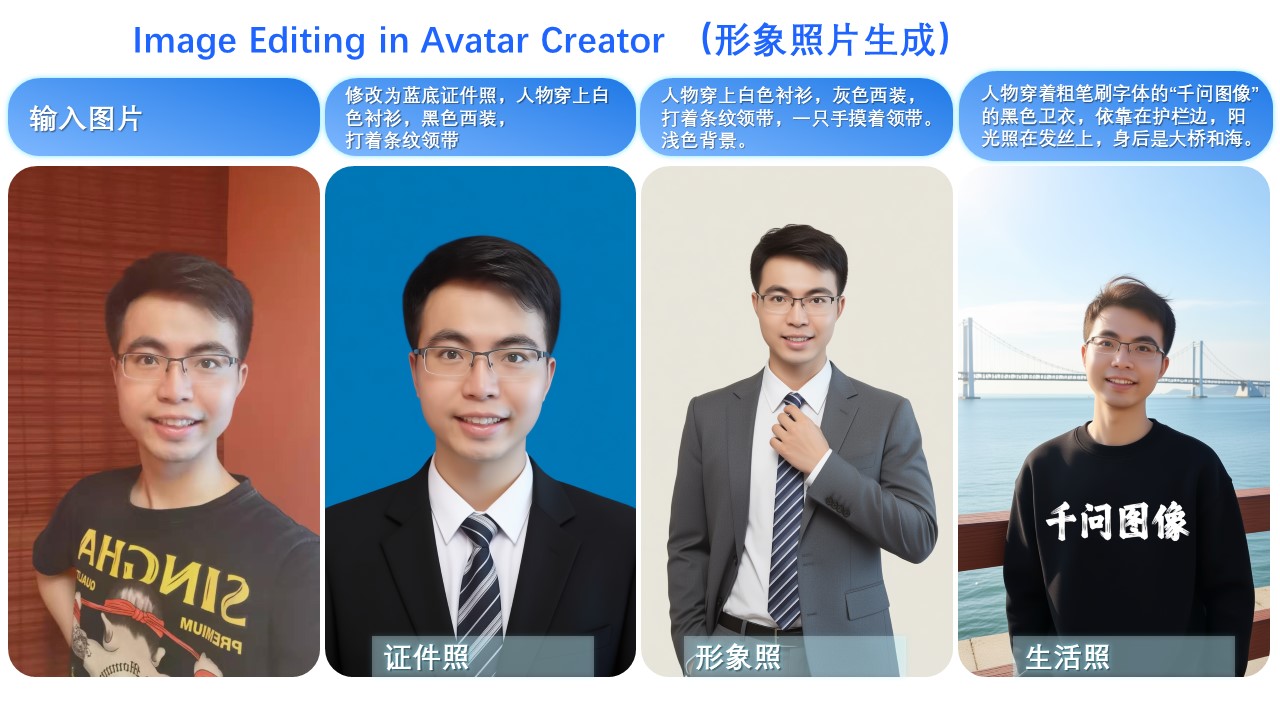 The mechanism, demonstrated by Alibaba's Qwen-Image-Edit-2509: leftmost is the single uploaded selfie. The other three are generated — different clothes, different framing, different backgrounds, same person. (Source: Qwen-Image-Edit-2509 model card, Hugging Face)
So what? It means one photo is now enough input. You're not teaching the model who you are — you're handing it a reference and asking it to move the camera.
What you actually get
Volume from a single source. Sixteen usable angles from one upload. If you're a creator who burns through thumbnails, that's a month of assets from one good selfie.
Poses you can't easily shoot yourself. A top-down angle requires someone standing over you on a chair. A clean hard profile requires a tripod and a timer. The bot does both in seconds.
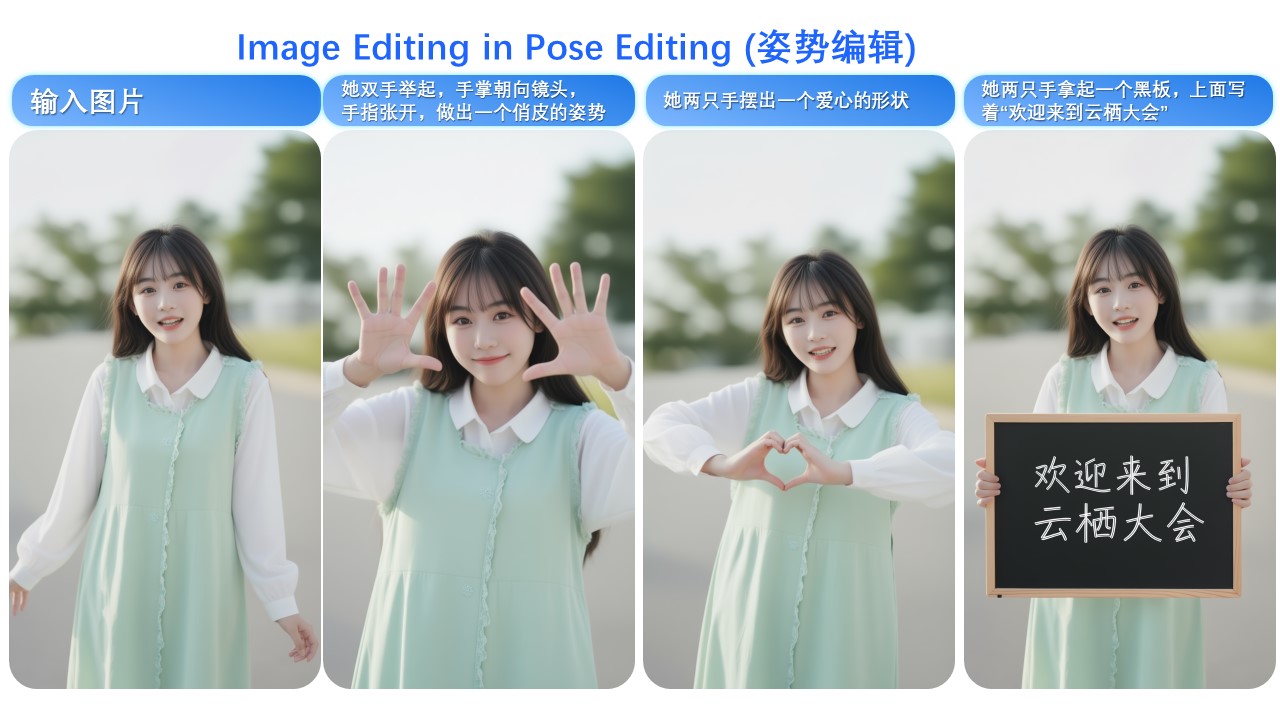 The same capability applied to pose rather than angle: one input on the left, three generated variations. The face holds; everything else moves. (Source: Qwen-Image-Edit-2509 model card, Hugging Face)
No skill barrier. You don't write prompts. You tap buttons in a Telegram chat. That matters more than it sounds — the reason most people don't use AI image tools isn't cost, it's that "write a good prompt" is a skill nobody wants to learn.
Nothing to install. It's a bot, not an app. No download, no account creation, no App Store review queue. Your first generation is free, so the cost of finding out whether it works for your face is zero.
What it costs you
The money cost is small and mostly hidden from you. To put it in context: running the underlying models directly through an API costs roughly $0.13–0.15 per generated image on Google's Nano Banana Pro, rising to about $0.24 for 4K output. A bot like AI Retake wraps that in credits and charges a markup.
The do-it-yourself path is where the real cost shows up. Running an open-weight model like Qwen-Image-Edit locally needs a GPU with 16GB+ of VRAM, and one community implementation reports roughly 1–2 minutes to process 10 frames on an RTX 4080. That's before you learn ComfyUI, install the multi-angle LoRA, and tune it.
Upload selfie → pick up to 4 angles → wait ~30s → download
That's the entire interaction. The reason I'm showing you this instead of a setup guide is that there is no setup — which is precisely the value on offer.
⚠️ The real cost is identity drift. This is the known failure mode of every AI portrait tool, and it doesn't go away. The further the generated angle is from the original photo, the more the model has to invent — and it invents plausible facial structure, not your facial structure. Research on multi-view generation names two specific failures: hallucination, where unseen views get filled in with fabricated geometry, and reference-view mismatch, where your front-facing features get projected onto a side view incorrectly. Front and 45° angles hold up well. Hard profiles and back views are where it starts inventing.
When to use it
High-volume, low-stakes imagery. Thumbnails, social posts, banner variations, Discord and Telegram avatars. Nobody is auditing whether your YouTube thumbnail is a real photograph.
When you need variety fast and the alternative is nothing. A launch week where you need eight visual assets by Friday. The realistic comparison isn't "AI photo vs. professional shoot" — it's "AI photo vs. reusing the same picture again."
Creative and experimental work. Concept art, mockups, style tests, character references. Here the point is exploration, and a slightly-off face costs you nothing.
As a scouting tool before a real shoot. Generate angles, see which one flatters you, then brief an actual photographer with a reference. This is a genuinely underrated use.
When NOT to use it
Anything where you'll be recognised in person. Job applications, dating profiles, conference speaker photos, client-facing bios. The risk isn't that someone detects the AI — it's the mismatch when you walk into the room and don't look like your picture. That erodes trust immediately. → Pay a photographer. It's a few hundred dollars once, and it's the correct spend.
Official or legal documents. Passports, visas, licences, professional registrations. Generated photos are not admissible, and submitting one can invalidate the application. → Use a real photo.
Journalism, documentary, or anything asserting "this happened." A synthetic image of a real person in a place they weren't is a fabrication, whatever your intent. → Use the real photograph or don't use one.
Photos of other people without their consent. Uploading someone else's face to generate new images of them is the same problem as a deepfake, at a smaller scale. → Don't. Ask first, or use your own face.
When you already have a photo library. If you shot properly last year and have 200 frames sitting in a folder, you don't have this problem. → Go crop the ones you have.
AI Retake vs. the alternatives
| AI Retake (bot) | Professional shoot | DIY open-weight model | Do nothing | |
|---|---|---|---|---|
| Cost | Free first run, then credits | $200–800+ per session | GPU with 16GB+ VRAM | $0 |
| Time to first result | Under a minute | 2–3 weeks | A weekend of setup | Instant |
| Skill needed | Tap a button | Book a calendar slot | ComfyUI, LoRAs, Python | None |
| Identity accuracy | Good at front/45°, drifts at extreme angles | Perfect — it's you | Same drift, plus your tuning | Perfect |
| Safe for in-person contexts | ❌ No | ✅ Yes | ❌ No | ✅ Yes |
| Output volume | 16 angles per source | 20–50 curated frames | Unlimited, slowly | 1 photo |
The honest read: the bot wins decisively on speed and volume, loses decisively on authenticity, and beats "do nothing" in every scenario where the photo is decoration rather than evidence.
📺 Consistent Multishots Made Easy: Qwen Image Edit Multi Angles LoRA (ComfyUI Workflow) — SOTAI. This is the DIY version of what the bot does for you, so you can see both the quality ceiling and the amount of work you're skipping.
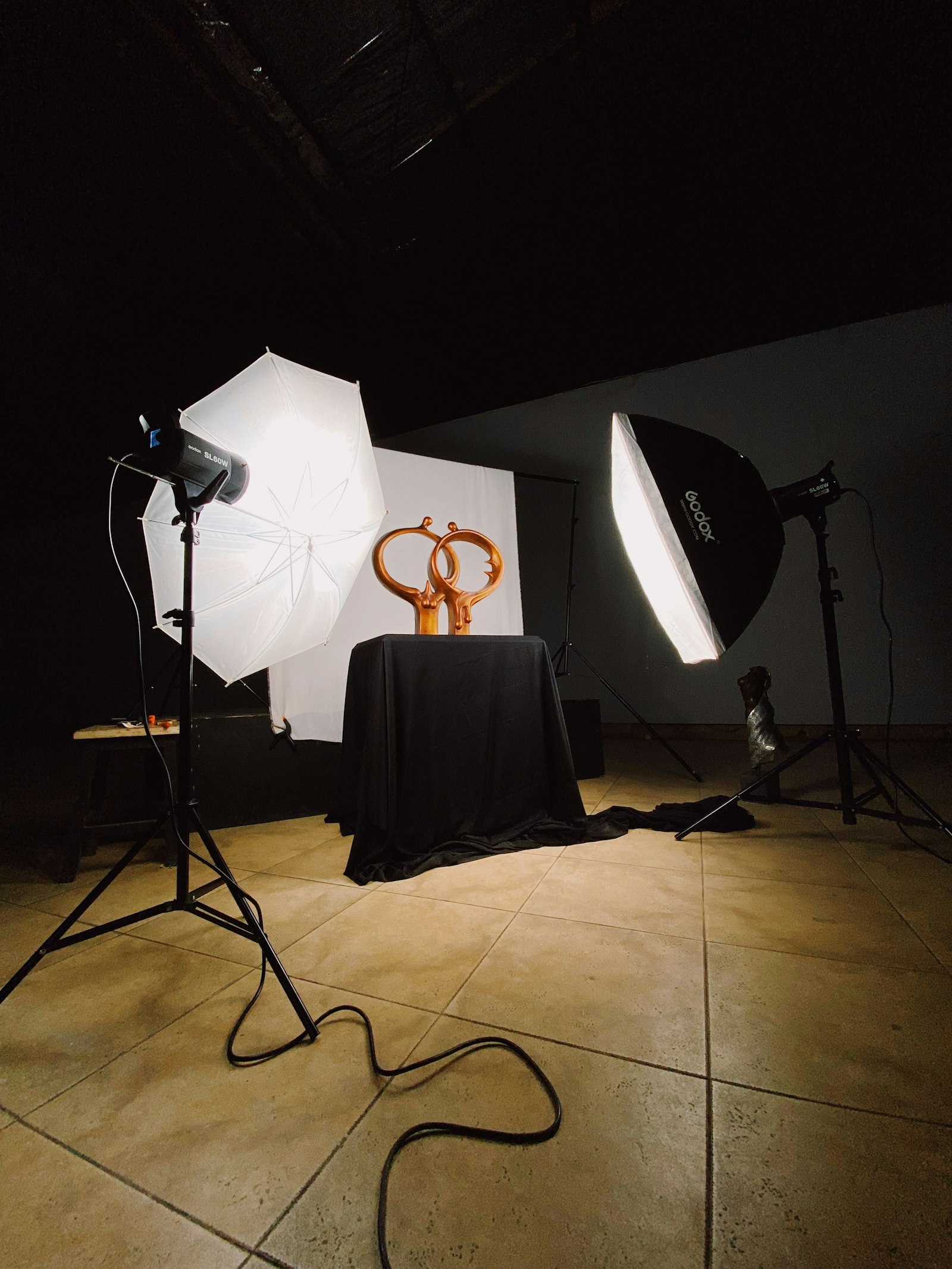 The thing AI Retake is replacing — and the thing you should still book when the photo has to be real. (Source: Unsplash)
The verdict
Adopt it if you produce content at volume — thumbnails, social posts, avatars, banners — and your bottleneck is having exactly one usable photo of yourself. The first generation is free, so testing it on your own face costs you nothing but two minutes.
Skip it if your photos represent you in situations where you'll be met in person, or where the image is a factual claim rather than decoration. No amount of model improvement fixes the mismatch problem.
What to do next: send it your one good selfie, generate the front and 45° angles first, and judge those. If the face holds at 45°, the tool works for your features. If it drifts there, it will fall apart at the harder angles too — and you've learned that in under a minute.
FAQ
Do I need any AI or photo-editing skill? No. It's a Telegram chat — you send a photo and tap which angles you want. That's the entire product design.
What does it cost? The first generation is free. After that it runs on a credit system. For reference, the underlying models cost roughly $0.13–0.15 per image at API rates, so the markup is modest either way.
Will people be able to tell it's AI? At front and 45° angles, usually not. At extreme angles — hard profile, back view — often yes, because that's where the model has the least real information and invents the most.
Can I use it for my LinkedIn or a job application? I'd advise against it. That's exactly the case where someone meets you afterwards, and a face that doesn't match costs you more than a mediocre real photo would.
What breaks if I skip this entirely? Nothing, if you already have a photo library or a photographer. This solves a specific bottleneck: needing image variety when you only have one source photo and no budget.
References
- AI Retake on Telegram — @PicFixEasyBot (first generation free)
- Qwen-Image-Edit-2509 model card — Hugging Face — the open-weight model card, source of the demo images above
- Qwen-Edit-2509-Multiple-angles LoRA — Hugging Face — the camera-control adapter
- Nano Banana Pro pricing guide 2026 — PixMind — per-image API costs
- Nano Banana Pro vs Flux Kontext vs Qwen Image Edit — Imgezy — model comparison
- Qwen-Image-2509-MultipleAngles — GitHub — self-hosting requirements and timings
- Why your AI headshot doesn't look like you — GetPhotoShoot — the identity-drift problem explained
- How AI headshots affect perceived authenticity — Denver Headshot Co. — the in-person mismatch risk
#AI #AIPhotography #TelegramBot #GenerativeAI #ContentCreation #QwenImageEdit #NanoBanana #AITools #CreatorEconomy
✍️ The Author: Do Ngoc Hoan Founder of CookConnects.ca & Wizy.ca. Bridging the gap between advanced algorithms and business execution. I write for technical founders looking to scale their impact with AI and robust engineering.